Aug – Dec 2024
Revamping the relocation self-help experience
Cross-platform content design
Why it mattered
The problem
Customers were calling to find out how to relocate their Singtel services when moving to a new address despite existing online self-help avenues
The fix
Redesigned the end-to-end relocation experience: help article, online form and flow, and confirmation messages
Enabled relocation requests via My Singtel app
How this helps customers
Clear overview of steps and process
Different online touchpoints for self-help
How this helps the company
Fewer calls/chats on relocation
Reduced churn — removing relocation friction that may push customers to competitors
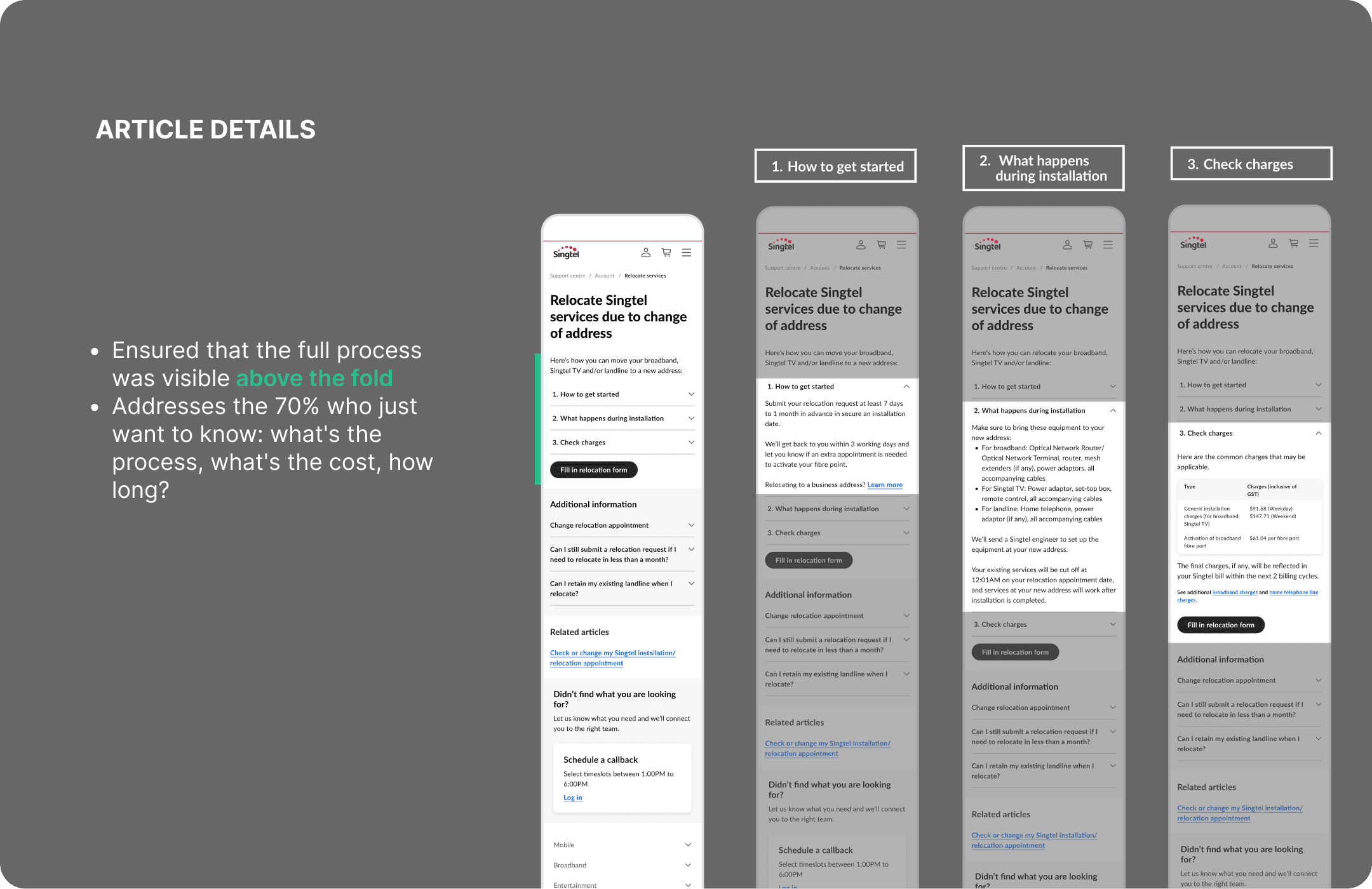
70% of relocation enquiries focus on process, charges, and lead time.
With 1400 relocation requests per month, how might we promote self-help for customers looking to relocate their Singtel services?
The details
The team
1 content designer
1 UX designer
1 researcher
Stakeholders
Customer experience
Relocation team
Broadband product marketing
The scope: End-to-end redesign
Customers don't think in channels — they need a seamless experience wherever they start. We designed across 4 touchpoints to meet them where they are.
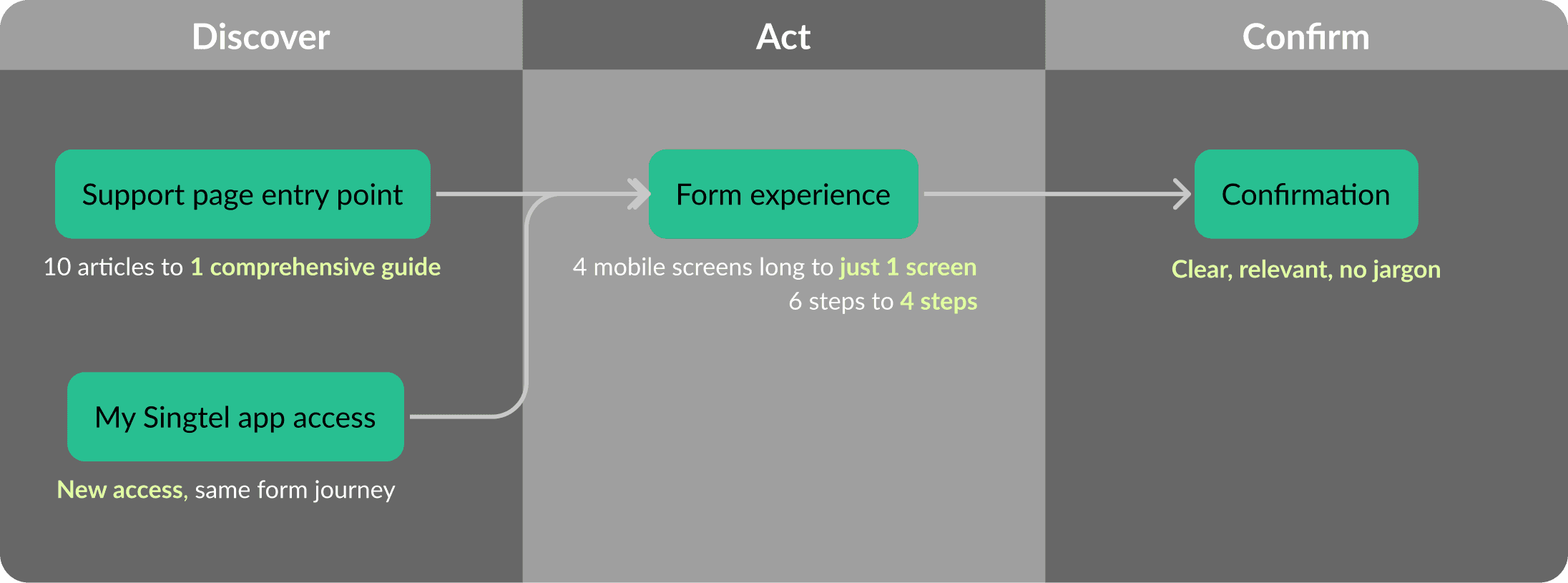
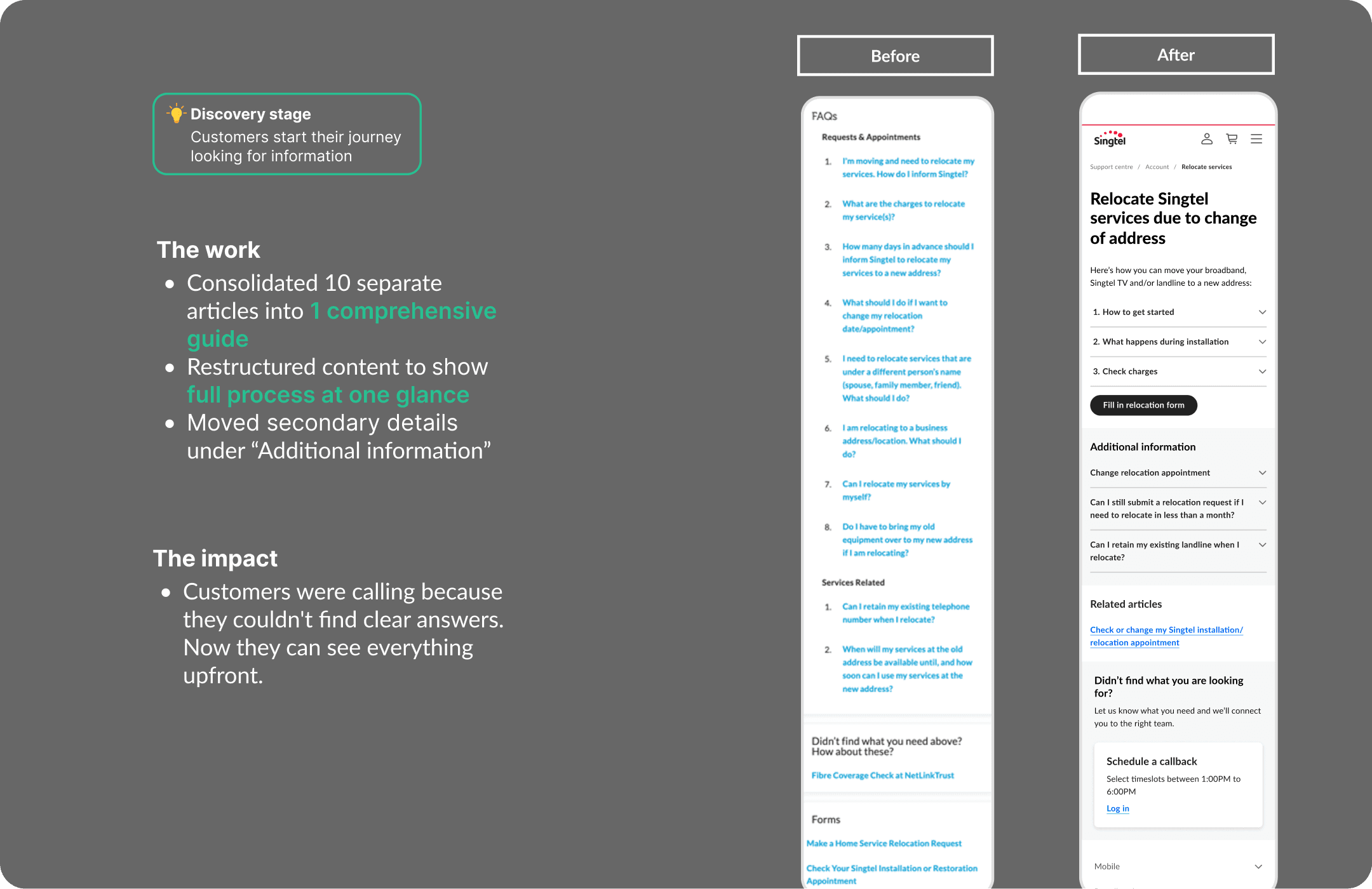
Stage 1: Discovery
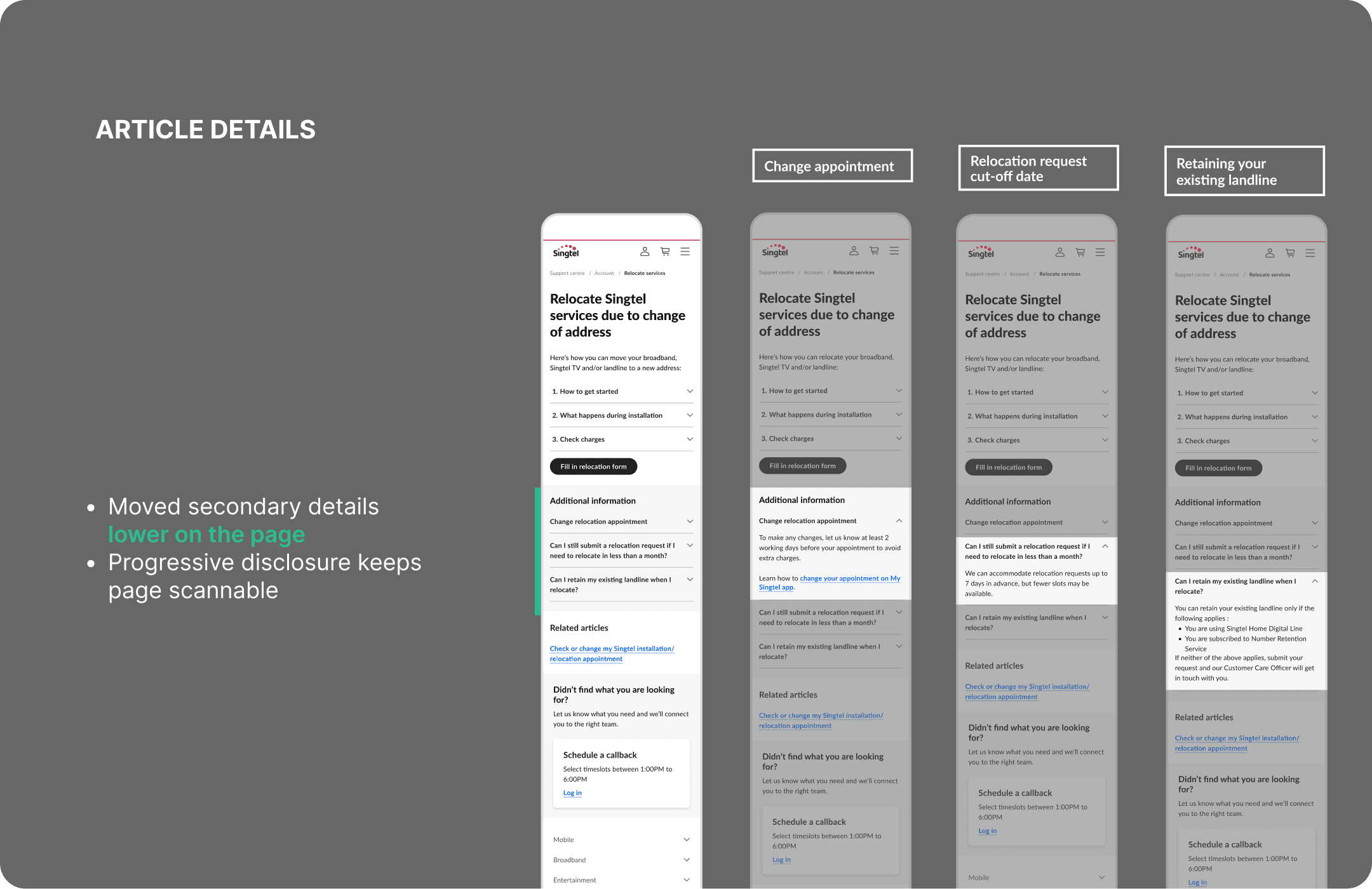
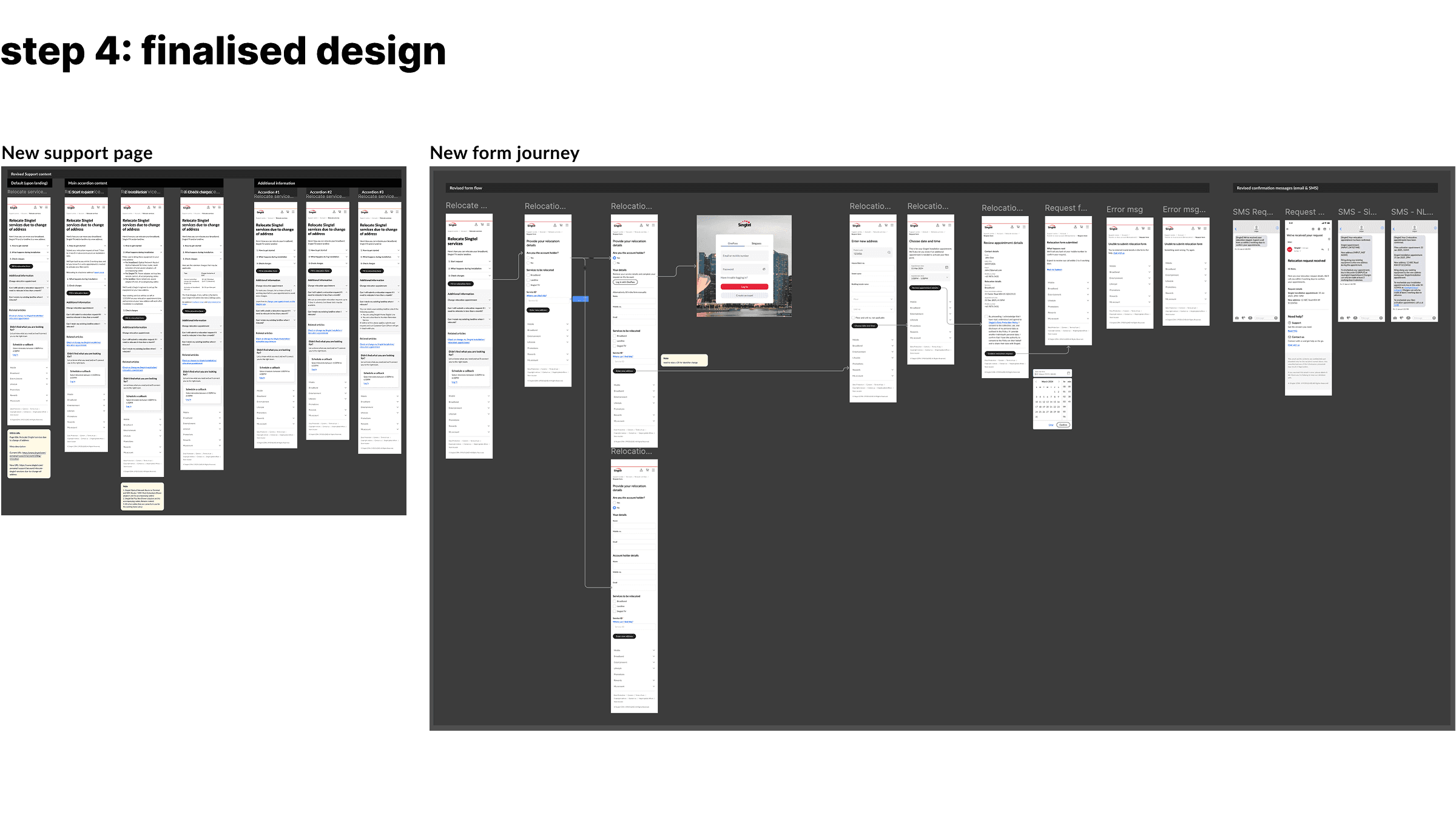
Revamped support page
Stage 2: Action
Streamlined form experience
A simpler, shorter landing page
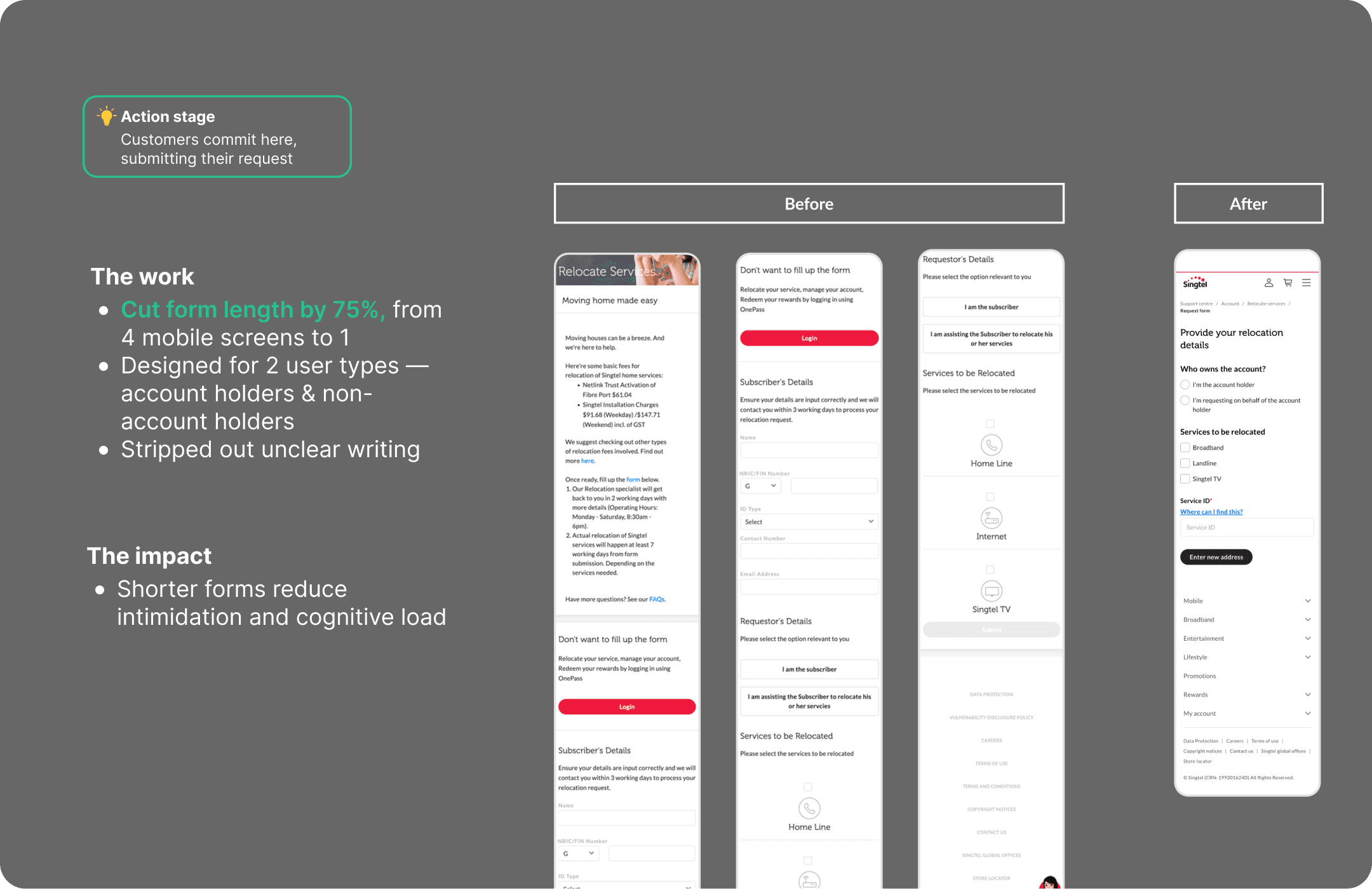
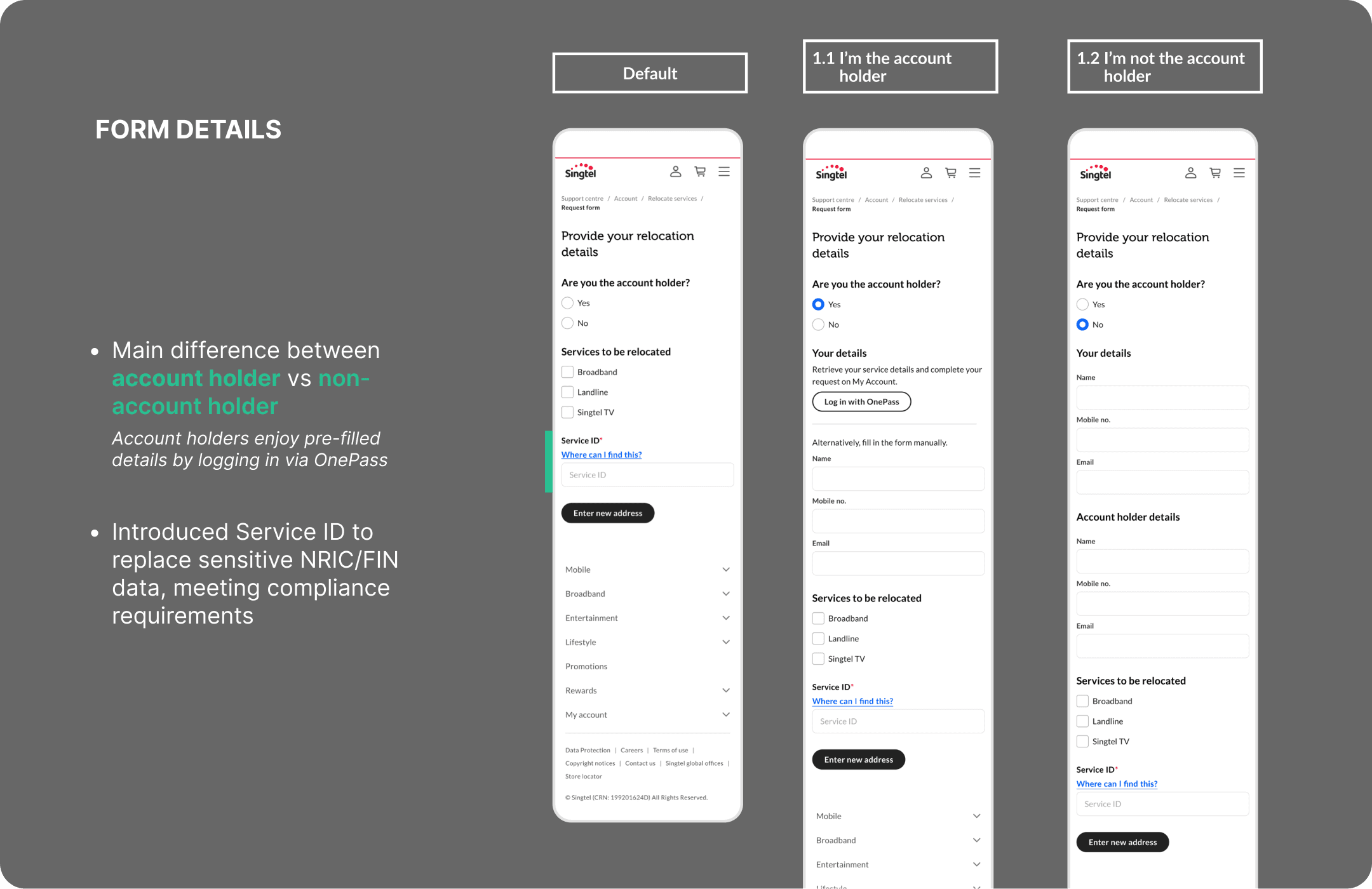
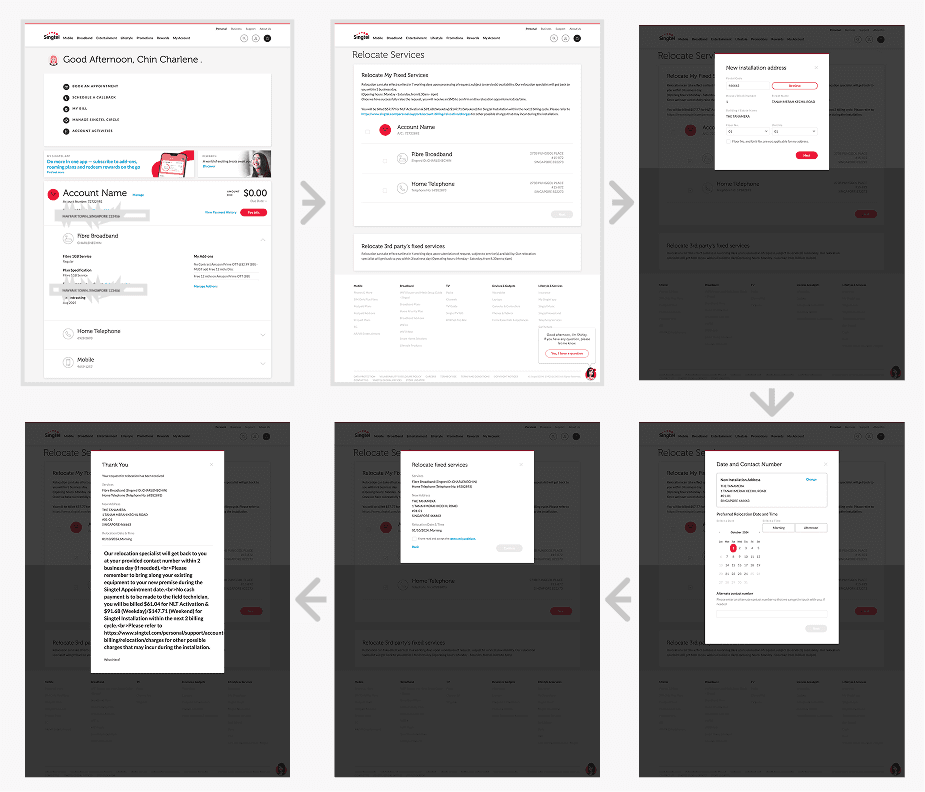
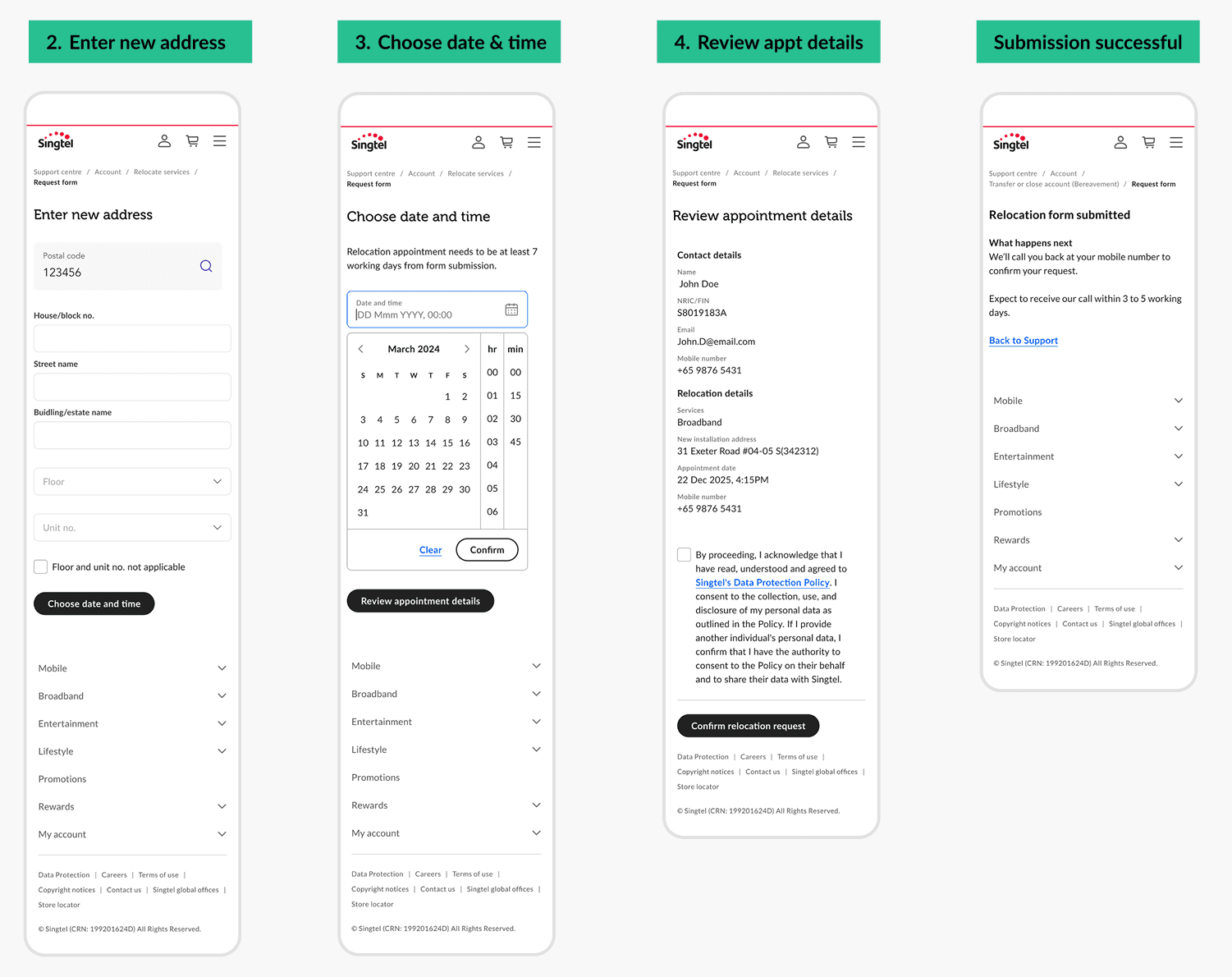
Shorter submission steps
The work
Cut appointment input from 6 to 4 steps
The impact
Less steps, fewer decision points, less time to abandon, faster completion
Before
After
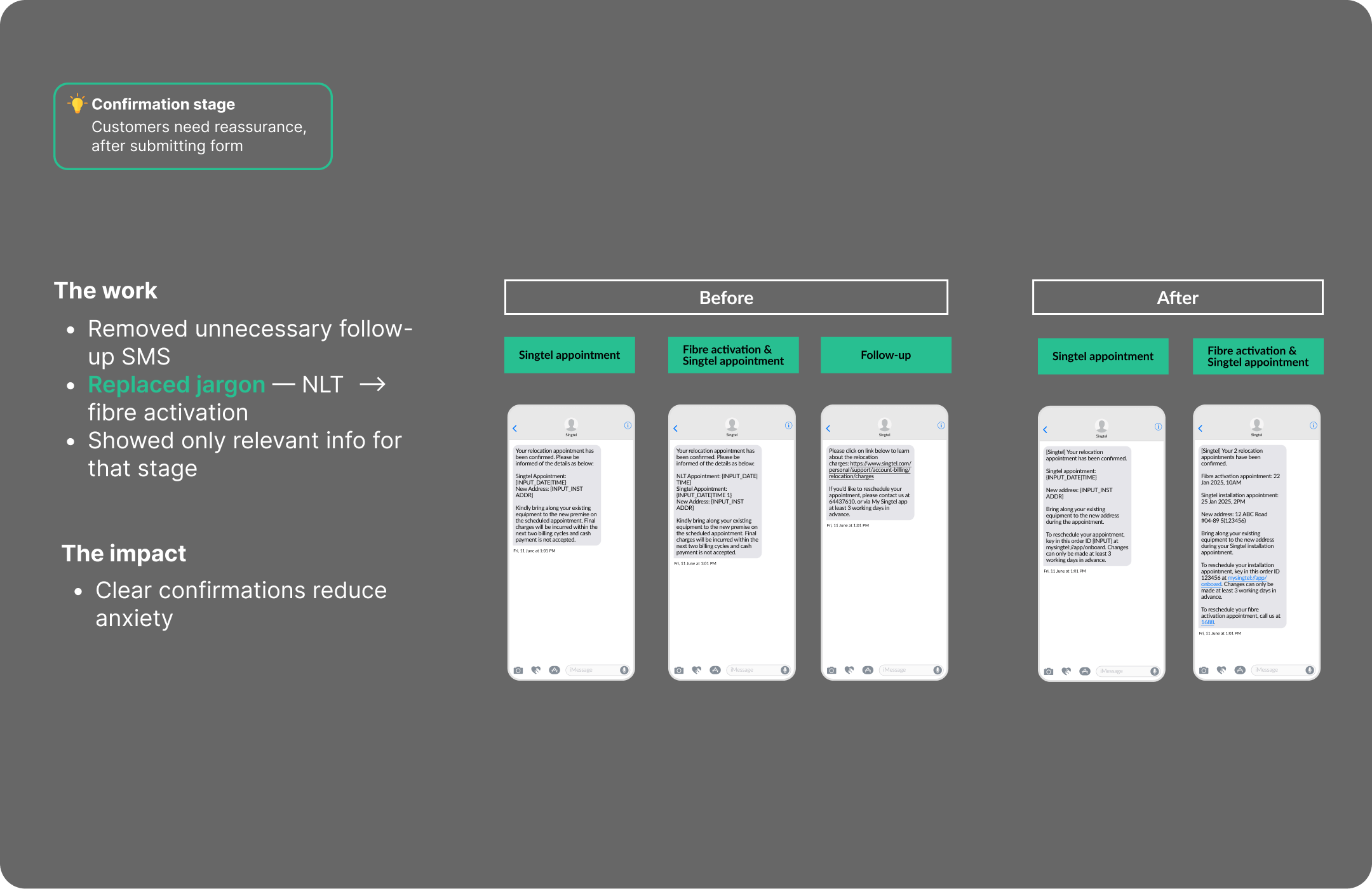
Stage 3: Confirmation
Clearer post-submission messaging
Added in-app entry point
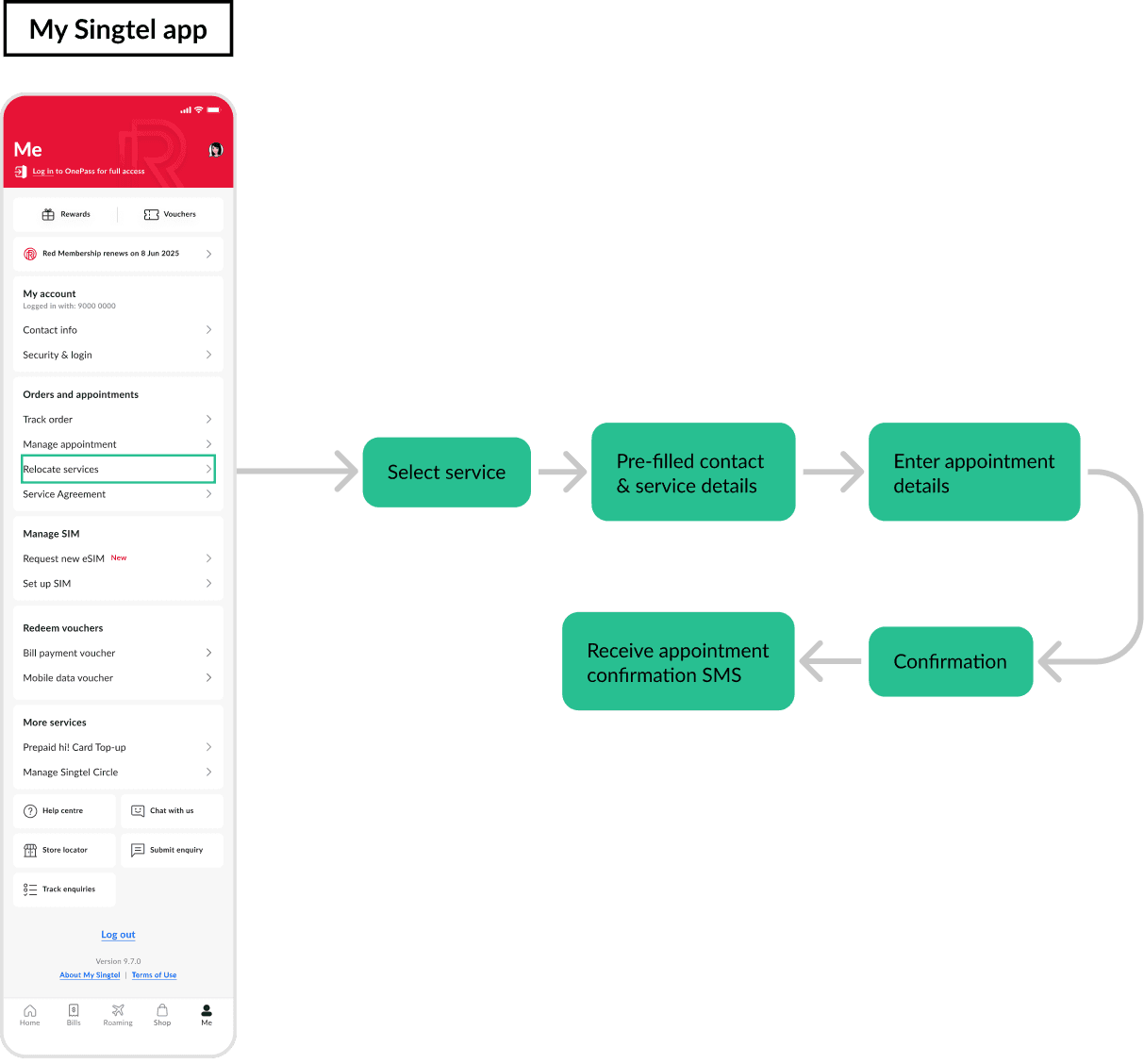
Meeting customers where they are
The work
Added entry point on My Singtel app for relocation requests
Directs users to the streamlined form, maximising reach of redesign
The impact
Gives access to customers already managing their account on their app
The process
What it took
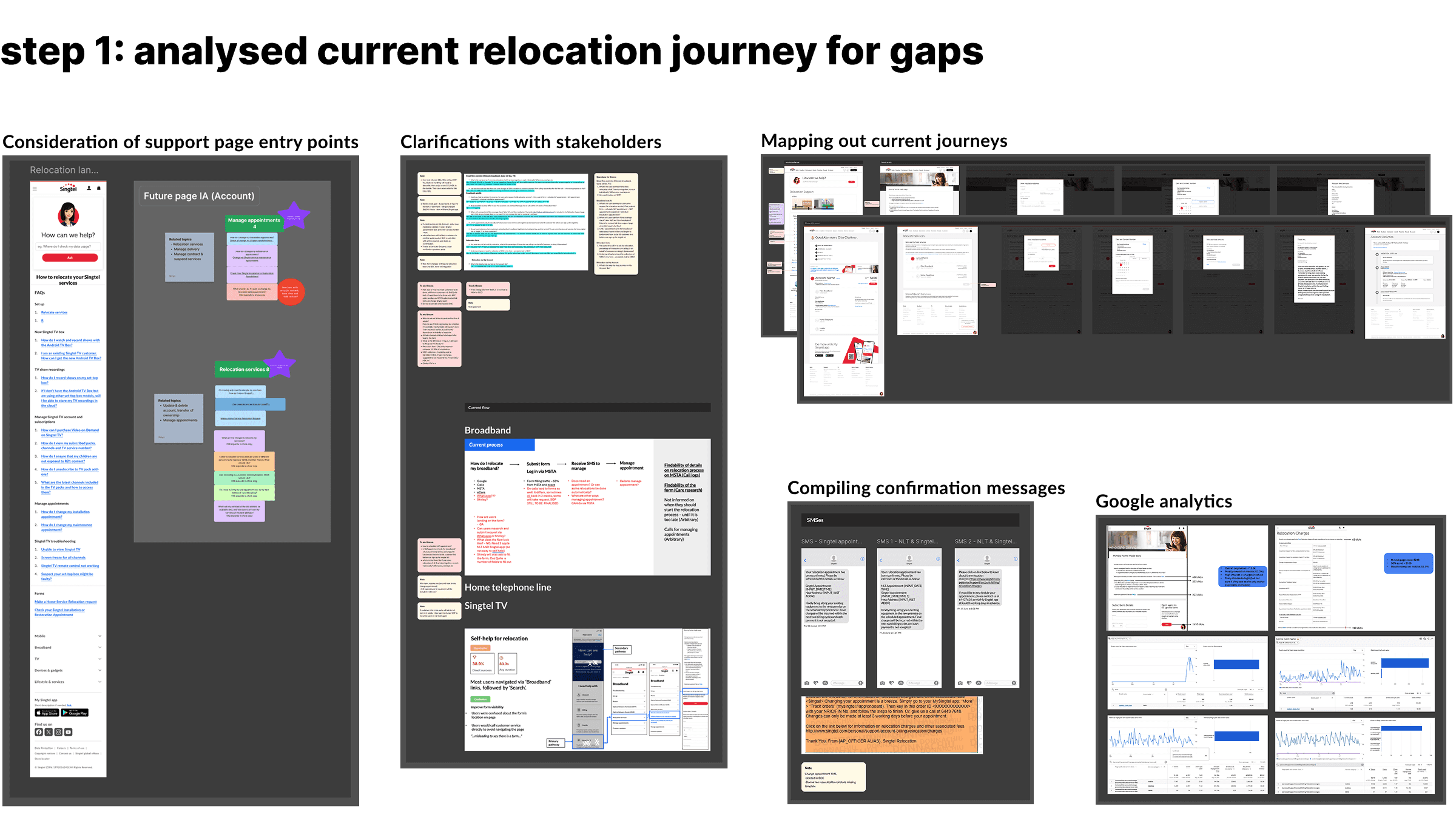
Analysed current relocation journey for gaps
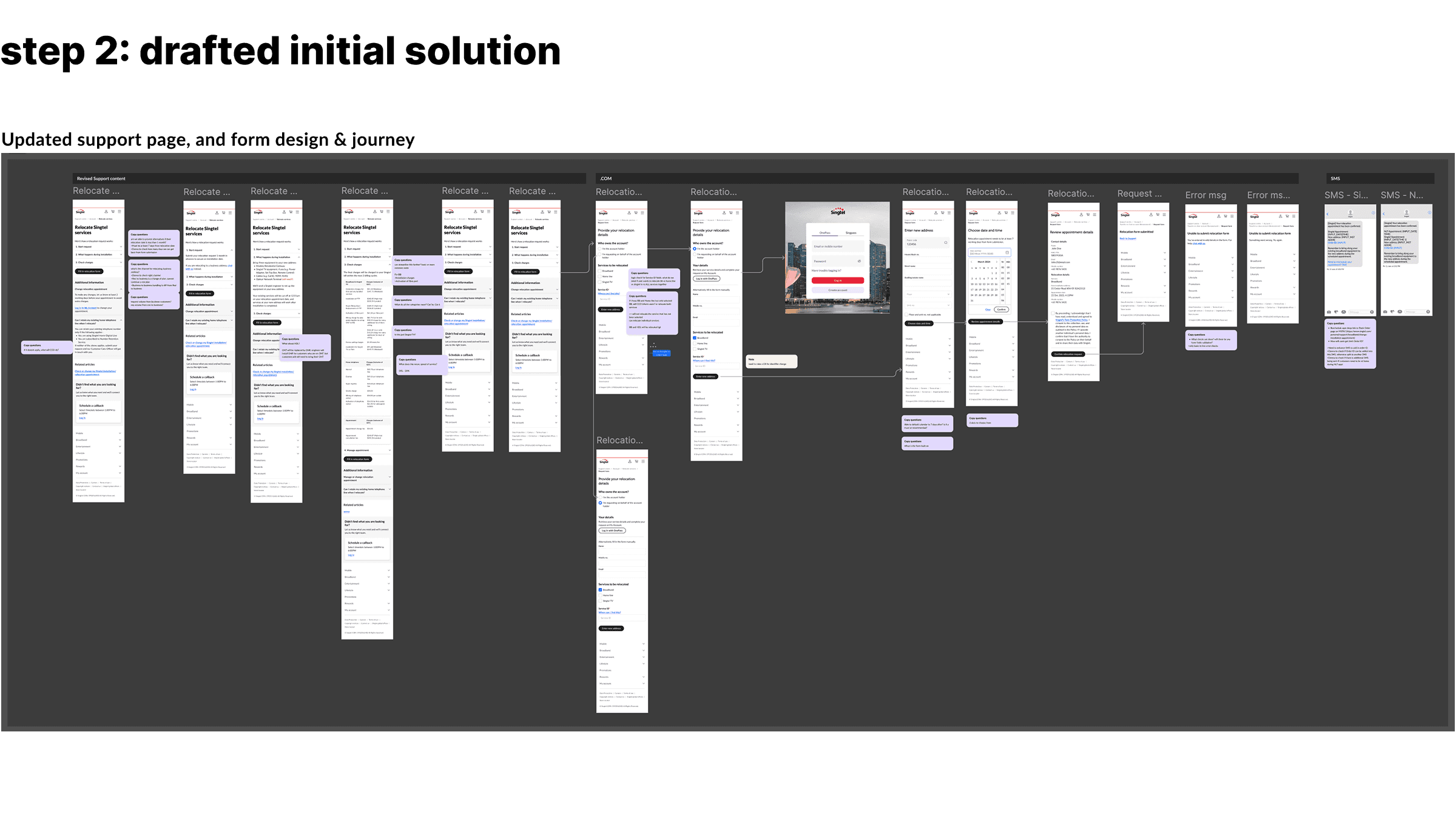
Drafted initial solution
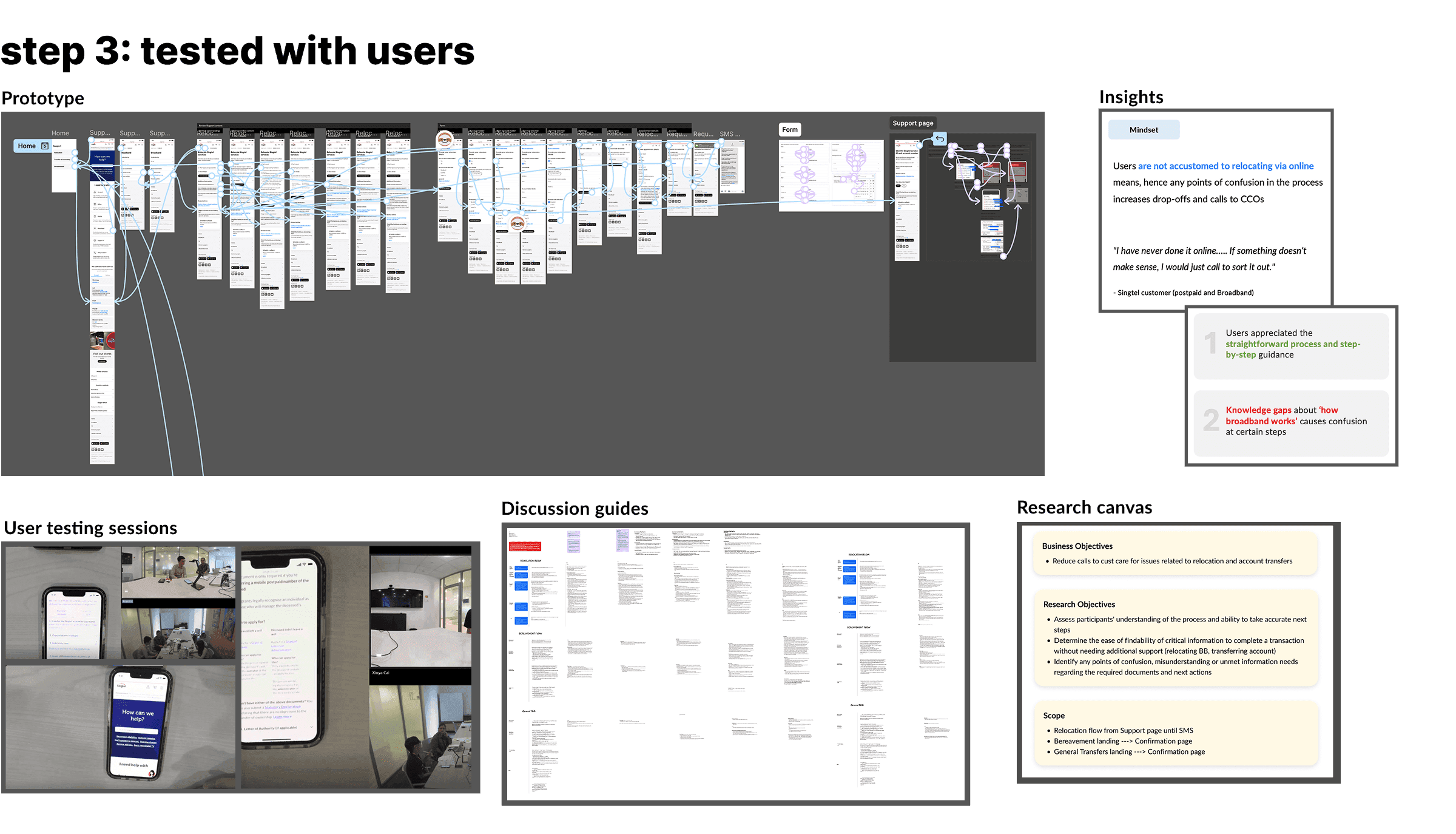
Tested with users
Finalised design
Key learnings
Design for tomorrow’s possibilities
While we were only able to update the support page, designs for the form, app, and messaging were completed, allowing for swift implementation when budget permits or priorities change
There’s still value in thinking ahead even despite build constraints
Importance of mapping dependencies between touchpoints
Designing the complete journey across touchpoints helped me catch experience gaps
Cross-platform thinking made the support page stronger as I understood the full context